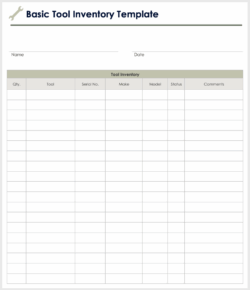
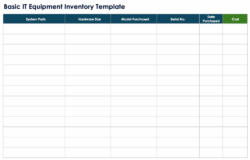
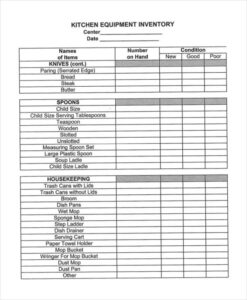
Managing the various assets within your office can feel like a daunting task, especially as your business grows. From computers and monitors to printers and specialized machinery, keeping tabs on everything is crucial for smooth operations, financial oversight, and security. This is where an effective office equipment inventory list template becomes an indispensable tool, helping you streamline the process and ensure nothing falls through the cracks.
Without a proper system, businesses risk encountering a range of problems, including misplaced items, unexpected replacement costs, and inefficient use of resources. Imagine searching for a specific projector for a client presentation, only to realize it was loaned out weeks ago and no one remembers to whom, or discovering an expired warranty on a crucial piece of equipment just as it breaks down. These scenarios highlight the critical need for a structured approach to asset management.
By implementing a well-designed inventory system, you not only gain clarity on your physical assets but also empower your team with the information needed to make informed decisions. This article will guide you through the importance of maintaining a comprehensive inventory and detail what elements should be included in your template to ensure maximum efficiency and peace of mind.
Why a Comprehensive Office Equipment Inventory is Essential for Your Business
Keeping a detailed inventory of your office equipment isn’t just about knowing what you own; it’s a strategic move that underpins several critical business functions. It’s about proactive management, risk mitigation, and maximizing the value of your investments. Let’s delve into the myriad reasons why this practice is non-negotiable for any well-run organization.
Firstly, a robust inventory system provides unparalleled cost control and budgeting insights. By having an accurate record of all your equipment, you can avoid redundant purchases, identify underutilized assets that could be redeployed, and better forecast future expenditures. Knowing the age and condition of your items also helps in planning for replacements, allowing you to allocate funds effectively rather than facing sudden, budget-straining expenses.
Secondly, comprehensive inventory management significantly enhances security and loss prevention. When every item has a unique identifier and its location is tracked, it becomes much harder for equipment to go missing, whether through misplacement or theft. In the unfortunate event of loss, having detailed records drastically simplifies the process of identifying what’s gone and aids in recovery efforts, or at least makes insurance claims more straightforward.
Beyond financial aspects, an inventory list is vital for effective maintenance and lifecycle management. You can track warranty expiration dates, schedule preventative maintenance, and monitor the performance of your equipment over time. This proactive approach extends the life of your assets, reduces downtime due to unexpected breakdowns, and ensures your team always has reliable tools at their disposal.
Moreover, an up-to-date equipment list is indispensable for insurance purposes and disaster preparedness. Should your office experience an unforeseen event like a fire, flood, or significant theft, a detailed inventory is crucial for making accurate and timely insurance claims. It provides undeniable proof of ownership and value, streamlining the compensation process and helping your business recover faster.
Furthermore, many industries and regulatory bodies require businesses to maintain meticulous records of their assets for compliance and audit purposes. Having a comprehensive inventory readily available ensures you meet these obligations, avoiding potential fines or legal issues. It demonstrates a commitment to responsible asset management and transparency.
Finally, and perhaps most importantly for daily operations, a well-managed inventory boosts overall efficiency and productivity. Employees can quickly locate needed equipment, departments can share resources more effectively, and IT support can diagnose and resolve issues faster when they have a clear understanding of what hardware is where. This reduces frustration, saves valuable time, and allows everyone to focus on their core tasks.
What to Include in Your Office Equipment Inventory List Template
Designing an effective office equipment inventory list template requires thoughtful consideration of what information is most valuable to track. The goal is to create a comprehensive yet user-friendly system that provides all the necessary details at a glance, allowing for efficient management and decision-making.
At its core, your template should capture key identification details, logistical information, and the current status of each asset. Think of it as creating a unique fingerprint for every piece of equipment, ensuring that it can be easily identified, located, and managed throughout its lifecycle. This level of detail empowers you to maintain control over your assets from purchase to disposal.
To ensure your template is truly robust and serves all your business needs, here are some essential fields you should definitely consider incorporating:
- Item Name/Description: A clear and concise name for the item (e.g., “Dell XPS Laptop,” “HP LaserJet Printer”).
- Manufacturer: The brand that made the equipment.
- Model Number: Specific model identifier for easy reference and reordering.
- Serial Number: Unique identifier assigned by the manufacturer, crucial for warranty claims and tracking.
- Asset Tag Number: Your internal tracking number, often a barcode, for quick scanning.
- Purchase Date: When the item was acquired.
- Purchase Price: The cost of the equipment.
- Warranty Expiration Date: When the manufacturer’s warranty runs out.
- Location: Where the equipment is physically located (e.g., “Marketing Dept – Conference Room,” “Room 302”).
- Assigned User: If applicable, the employee currently using the equipment.
- Condition: Current status of the item (e.g., “New,” “Good,” “Fair,” “Needs Repair,” “Retired”).
- Notes: A field for any additional relevant information like maintenance history, upgrades, or special instructions.
Remember, while this list provides a solid foundation, your office equipment inventory list template should always be adaptable. Tailor it to fit the specific types of equipment your business uses and the unique reporting needs of your organization. Regularly review and update your template to ensure it remains relevant and effective as your business evolves.
Ultimately, investing time in creating and maintaining a detailed inventory system will pay dividends in the long run. It transforms a potentially chaotic aspect of business operations into a well-organized and manageable process, contributing significantly to your overall operational efficiency and financial health. Starting today ensures a smoother, more secure, and more productive future for your office environment.